 for a commercial license.
SWMemRelease
|
Description:
These solutions could be used as prevention methods to maintain SolidWorks' "responsiveness" in general, whether or not you are using DW to drive your SW!
All three solutions can be found and downloaded under the download section. Use the solution that fits your environment and circumstances best.
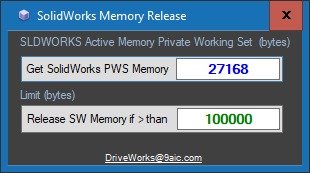
Run SWMemRelease as a Command line or WinForm - good for testing
if you want to manually run it. Examples of use: SWMemRelease.exe /MEM2RELEASE=200000 SWMemRelease.exe /MEM2RELEASE=-1 Make sure there are NO spaces in the command line switch (/MEM2RELEASE =200000 is NOT good!)
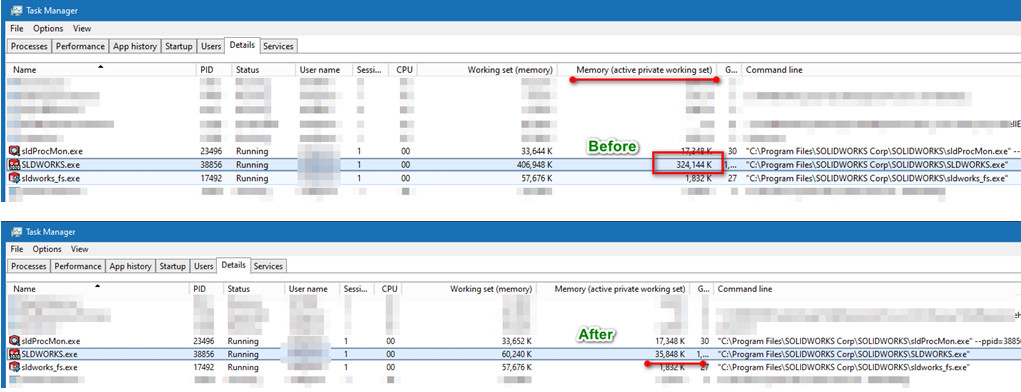
Setting up a Limit to -1 will release SW memory regardless of what SW is
using at that moment - use it for prevention or to refresh
Run SWMemRelease as a Service - set it and forget it on the computer where SW is installed. It requires you to install the service once with admin rights, then all is good. Details on the SWMemRelease Service are here
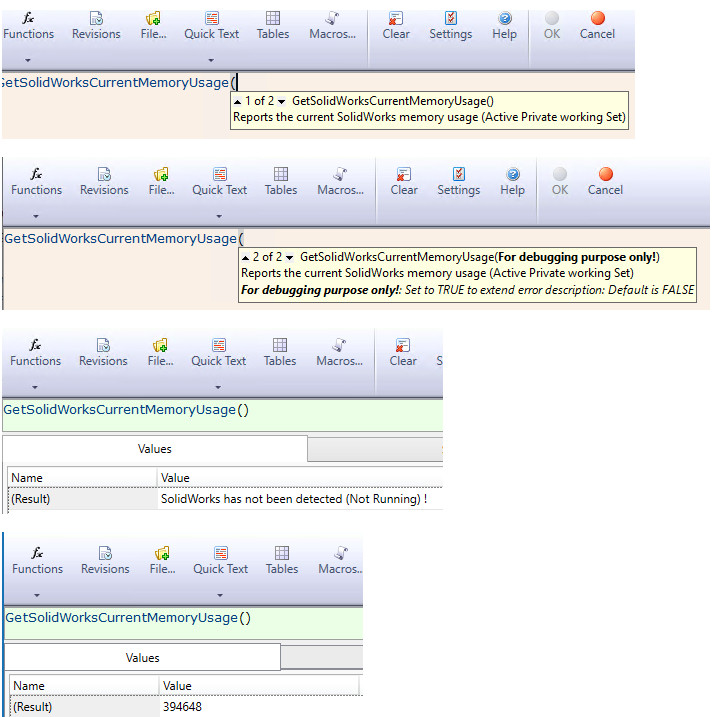
DriveWorks Project Extender Add-On Available commands: "GetSolidWorksCurrentMemoryUsage" and
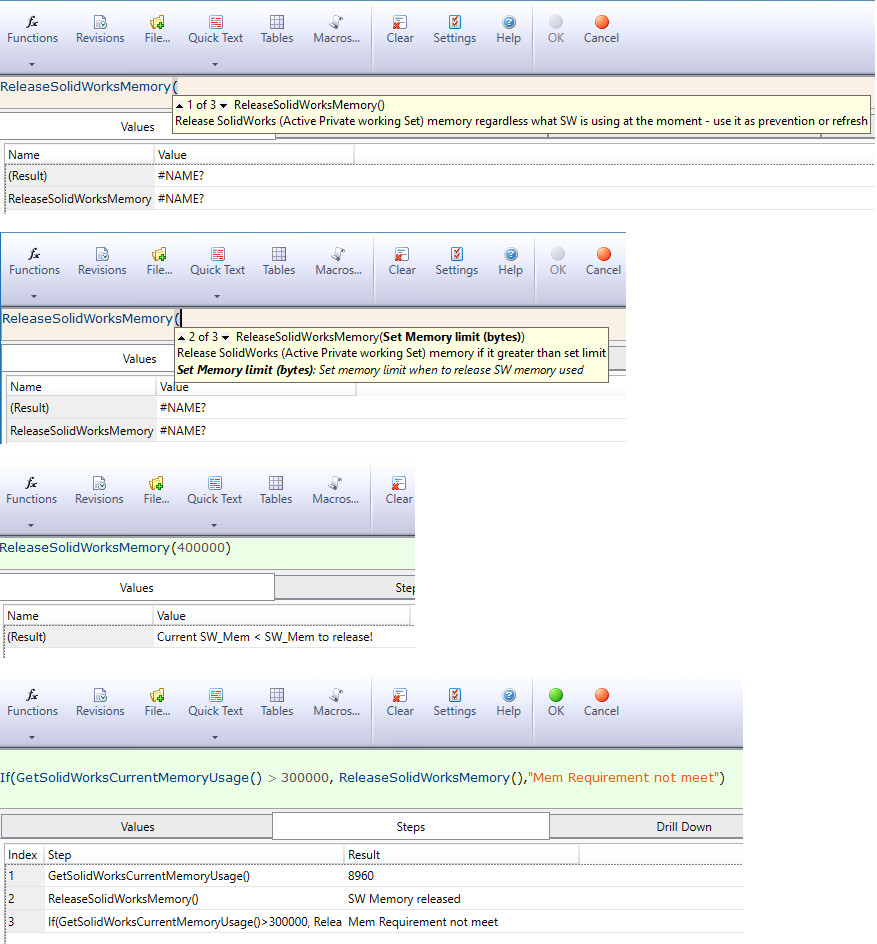
"ReleaseSolidWorksMemory" - Automatically
Queued, good while "Autopiloting. (The more suited place for the
SW memory release would be under an Autopilot settings page). Below are
example of use the commands within Rule Builder.
GetSolidWorksCurrentMemoryUsage
ReleaseSolidWorksMemory
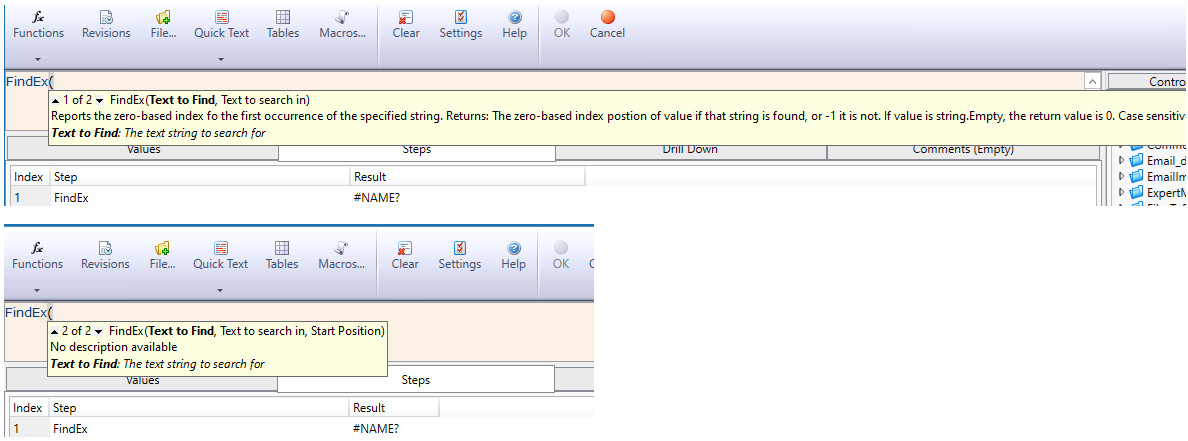
FindEx (overloaded, there are two functions in one, dependent on the parameters supplied)
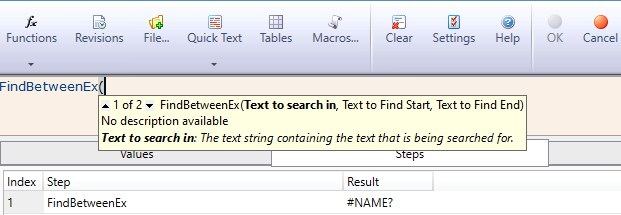
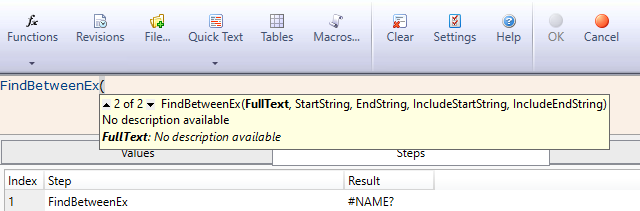
FindBetweenEx (overloaded, there are two functions in one, dependent on the parameters supplied)
FindBetweenEx2
|
| SWMemRelease_WinForm.zip SWMemRelease_Service.zip SWMemRelease_DWAddOn.zip |
|
|
|
C# / C++ / VB / CAD / CAM / Esprit / Rhino3D / SQL / SOLIDWORKS /DriveWorks / SolidEdge programming & 3D Solid Designspan> To contact me, I am available through the below listed e-mail address. If you are interested in any of the above, just drop me an email and I can make what needs to be done. e-mail:  |